
FlightFabric 0.12.7 makes everyday tasks easier to find. Setup now takes three steps, the Aircraft page opens on presets, and dedicated buttons put voice commands and phone connection within easy reach.
Download FlightFabric for Windows · Free public alpha for Microsoft Flight Simulator 2024.
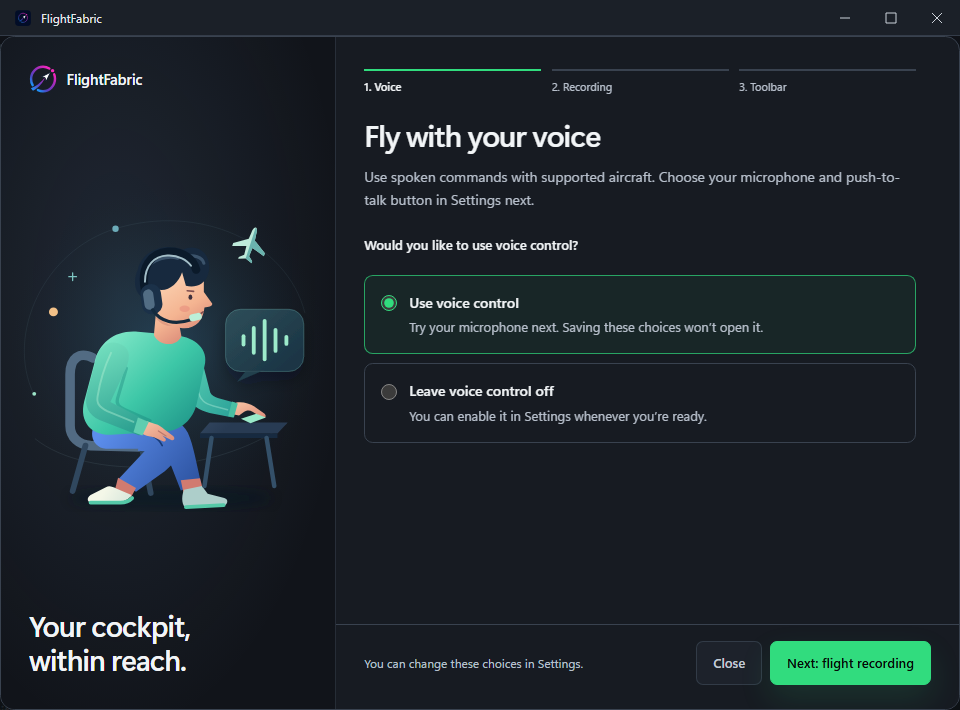
Three setup steps, and a way back to them
The introduction guides you through setting up voice control, flight recording and the optional MSFS toolbar.
Missed or skipped something? Simply select Setup from the desktop menu to go through the introduction again, without having to search through Settings.
Start with presets
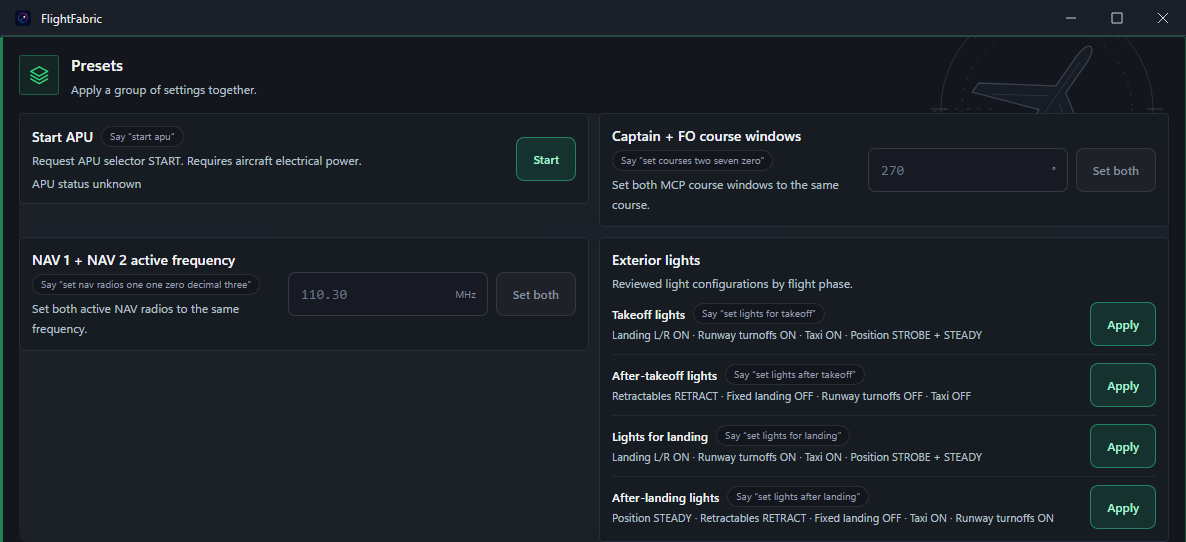
Open the Aircraft page and you’ll now start in Presets. Lighting presets and other grouped actions sit together, instead of making you work through a long list of individual controls first.
For individual settings, switch to Cockpit controls, or use Find controls to search. The icons and selection highlight help show which view you’re in.
Voice commands where you can find them
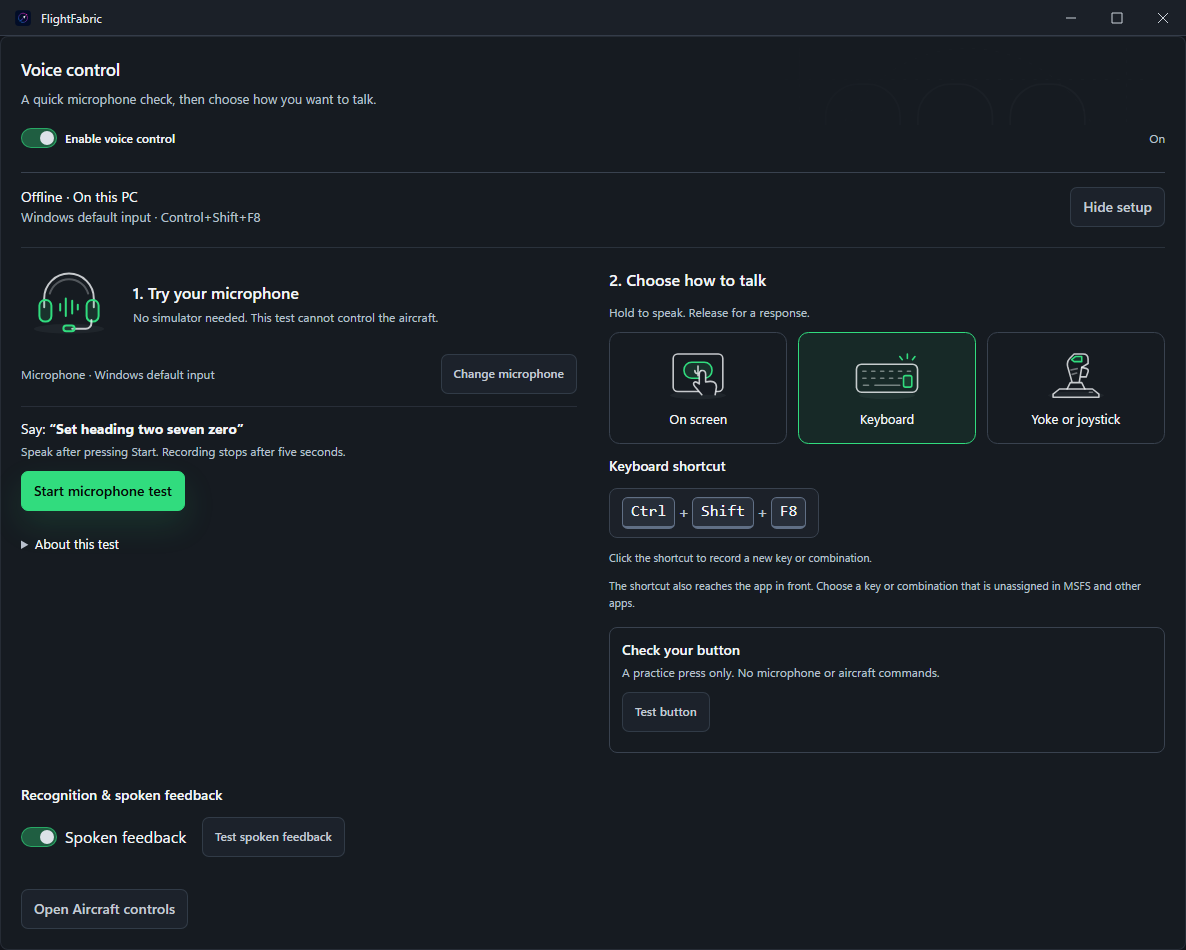
There’s now a Voice commands button beside Find controls on the desktop. On your phone or tablet, Voice phrases lists what you can say.
Microphone testing, keyboard or controller push-to-talk and spoken replies are all in Settings > Voice. You can test the microphone before starting a flight.
Connect another screen
Connect phone now stays in the desktop menu. Open it for the QR code and pairing steps. You approve devices on the simulator PC, as before.
How to update
Finish your flight before updating. Check for updates in Settings > About, or quit FlightFabric from the system tray and run the current Windows installer. Your settings and recordings stay in their current locations. Versions 0.12.1 and earlier need the manual installer.
To update the optional toolbar, close MSFS, open Settings > Devices > MSFS 2024 toolbar panel and choose the update or reinstall action shown. Restart the simulator afterwards.
FlightFabric is still in public alpha, and aircraft testing isn’t complete. Check the result of a command in the cockpit. The aircraft support notes and full release notes explain what’s supported and what still needs work.
Thanks for testing the app, sending feedback and supporting FlightFabric.