
Landings tend to get all the attention, but the departure is worth a look too. FlightFabric 0.12.0 adds a takeoff report, lets you use a yoke or joystick button for voice, and puts a 2D taxi map in the MSFS toolbar.
Download FlightFabric 0.12.0 for Windows · Free public alpha for Microsoft Flight Simulator 2024.
Review your departure
The report shows ground-roll distance, liftoff speed, average rotation and runway remaining, alongside any detected cautions. Open Full Report from Last takeoff, or check Last takeoff in the MSFS toolbar. Saved departures are also available with your flight history.
The takeoff capture normally ends around 50 ft, while the main flight recording carries on through the climb. Runway remaining is a measurement, rather than a competition to see who leaves the most behind. Landing reports are separate.
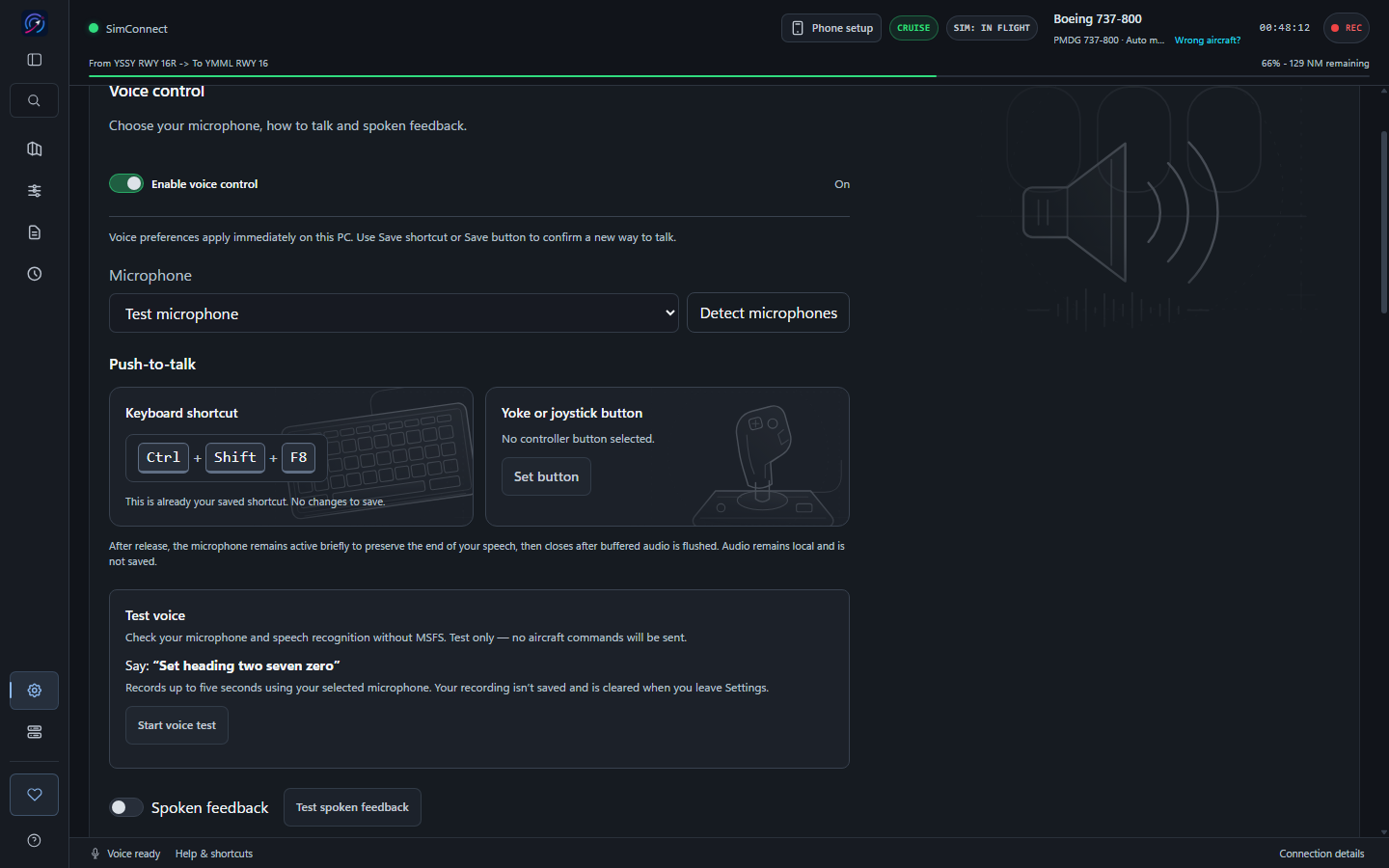
Use your yoke or joystick for voice
Open Settings > Voice control and choose Set button under Yoke or joystick button. Complete the press-and-release check, then save your button. Hold it to speak and release it when finished, including while MSFS is in front. The keyboard shortcut and on-screen voice button remain available.
Choose a button without an existing simulator or ATC assignment, because those assignments still respond to it. After setup, a restart or reconnection, an extra press and release may be needed before your first hold. Controller compatibility varies.
Follow your taxi route in the toolbar
The toolbar’s Taxi map is now a north-up 2D diagram. The route stays still and the aircraft marker moves along it, provided fresh position data is coming through. The desktop taxi views are still available.
There are also fixes to pushback startup and a more visible reminder when your toolbar package is old. Update the toolbar as well as the desktop app to get these changes.
Pushback and Autotaxi remain experimental. Review the route and aircraft readiness before starting, and keep the stop control available. If Autotaxi stops with Control write failed. Take control., continue manually. Parking-brake handover at the holding point can also need manual action.
Other changes
There are more lighting and flight-guidance controls where the aircraft supports them. Keyboard and controller push-to-talk are together in Voice settings, and I’ve tidied up connection recovery messages, SimBrief guidance and saved-flight search. Settings fit narrow screens better too. The experimental Flight Cues page is temporarily unavailable.
How to update
Finish your flight, close FlightFabric and run the Windows installer. Your settings and recordings stay in their current locations.
For the toolbar, close MSFS, then choose Update or Reinstall under Settings > MSFS 2024 toolbar panel in FlightFabric. Restart the simulator afterwards. The toolbar setup guide has more detail.
FlightFabric is still a public alpha, so expect bugs and incomplete aircraft support. The installer is unsigned; Windows may show Unknown publisher or Windows protected your PC. Read the installation help if you need guidance.
The full 0.12.0 release notes list the details and limitations. Thanks to everyone testing the app and supporting FlightFabric.