
FlightFabric 0.11.1 adds a microphone voice test you can run without starting MSFS. It also makes automatic pushback easier to find in the app and in the MSFS toolbar.
Download FlightFabric 0.11.1 for Windows · Free public alpha for Microsoft Flight Simulator 2024.
Test voice before starting MSFS
Open Settings > Voice control, enable voice control and choose your microphone. Select Start voice test and say “Set heading two seven zero”. You can watch the input level, read the recognized text and play back the short recording.
You can run the test without MSFS, an aircraft or a saved push-to-talk shortcut. Microphone, shortcut and Spoken feedback options are in the same section; use Test spoken feedback to check the reply voice separately.
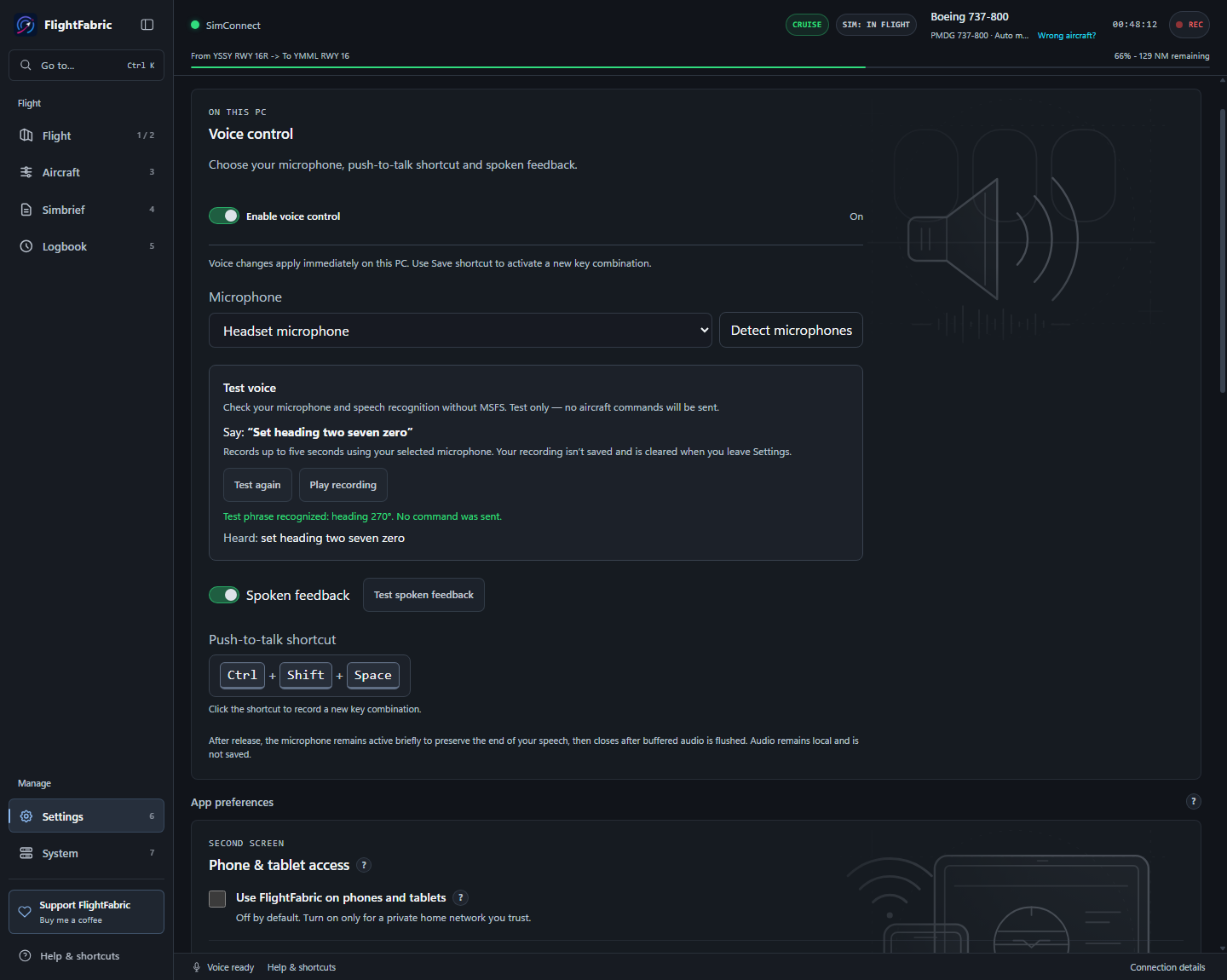
See the updated voice setup guide for the microphone, shortcut and spoken-feedback steps.
Automatic pushback
The desktop app and MSFS toolbar now call this feature Pushback & taxi, with a Start pushback button.
Enter your departure airport and runway to preview the planned route and final aircraft direction. Selecting a runway or previewing the route won’t move the aircraft. Pushback only begins when you select Start pushback.
You can use Stop pushback at any time during the manoeuvre. Once the aircraft has stopped, follow the manual taxi guidance to continue towards your departure runway.
If you started pushback from the MSFS toolbar, closing that toolbar tab will also stop it.
Pushback is still experimental. Check the planned route and make sure your aircraft is ready before starting. Keep the stop control accessible in case you need to intervene.
Optional Autotaxi is a separate feature available through the desktop app.
A few smaller fixes
Push-to-talk beeps are now slightly louder, while remaining short and fading out smoothly.
The microphone reminder has been moved next to the sidebar setup tasks, search now works better in smaller windows, and keyboard focus is restored to a useful control when you close a tool.
This update also includes refreshed README screenshots and dependency security fixes.
How to update
Finish your flight, close FlightFabric and run the Windows installer. Settings and recordings stay in their current locations. For the toolbar update, close MSFS, choose Update or Reinstall under Settings > MSFS 2024 toolbar panel, then restart the simulator.
See the 0.11.1 release notes for installation help and limitations. Thanks for the bug reports, testing and support.